
AI keywording and photo culling for photographers who shoot in volume_
Tag less. Cull faster. Ship the shoot.
Stock Keyworder writes titles, descriptions and ranked keywords with AI — then grades and culls the shoot around them. Import straight from an SD card, and send stars, colour labels and metadata to Lightroom, Bridge and Capture One. Built for stock contributors, and just as at home on a wedding, a match day or a property set.


%20--%3e%3csvg%20version='1.1'%20id='Layer_1'%20xmlns='http://www.w3.org/2000/svg'%20xmlns:xlink='http://www.w3.org/1999/xlink'%20x='0px'%20y='0px'%20viewBox='0%200%20240%20234'%20style='enable-background:new%200%200%20240%20234;'%20xml:space='preserve'%3e%3cstyle%20type='text/css'%3e%20.st0{fill:%23001E36;}%20.st1{fill:%2331A8FF;}%20%3c/style%3e%3cg%20id='Layer_2_1_'%3e%3cg%20id='Surfaces'%3e%3cg%20id='Photo_Surface'%3e%3cg%20id='Outline_no_shadow'%3e%3cpath%20class='st0'%20d='M42.5,0h155C221,0,240,19,240,42.5v149c0,23.5-19,42.5-42.5,42.5h-155C19,234,0,215,0,191.5v-149%20C0,19,19,0,42.5,0z'/%3e%3c/g%3e%3c/g%3e%3c/g%3e%3cg%20id='Outlined_Mnemonics_Logos'%3e%3cg%20id='Ps'%3e%3cpath%20class='st1'%20d='M54,164.1V61.2c0-0.7,0.3-1.1,1-1.1c1.7,0,3.3,0,5.6-0.1c2.4-0.1,4.9-0.1,7.6-0.2c2.7-0.1,5.6-0.1,8.7-0.2%20c3.1-0.1,6.1-0.1,9.1-0.1c8.2,0,15,1,20.6,3.1c5,1.7,9.6,4.5,13.4,8.2c3.2,3.2,5.7,7.1,7.3,11.4c1.5,4.2,2.3,8.5,2.3,13%20c0,8.6-2,15.7-6,21.3c-4,5.6-9.6,9.8-16.1,12.2c-6.8,2.5-14.3,3.4-22.5,3.4c-2.4,0-4,0-5-0.1c-1-0.1-2.4-0.1-4.3-0.1v32.1%20c0.1,0.7-0.4,1.3-1.1,1.4c-0.1,0-0.2,0-0.4,0H55.2C54.4,165.4,54,165,54,164.1z%20M75.8,79.4V113c1.4,0.1,2.7,0.2,3.9,0.2H85%20c3.9,0,7.8-0.6,11.5-1.8c3.2-0.9,6-2.8,8.2-5.3c2.1-2.5,3.1-5.9,3.1-10.3c0.1-3.1-0.7-6.2-2.3-8.9c-1.7-2.6-4.1-4.6-7-5.7%20c-3.7-1.5-7.7-2.1-11.8-2c-2.6,0-4.9,0-6.8,0.1C77.9,79.2,76.5,79.3,75.8,79.4L75.8,79.4z'/%3e%3cpath%20class='st1'%20d='M192,106.9c-3-1.6-6.2-2.7-9.6-3.4c-3.7-0.8-7.4-1.3-11.2-1.3c-2-0.1-4.1,0.2-6,0.7c-1.3,0.3-2.4,1-3.1,2%20c-0.5,0.8-0.8,1.8-0.8,2.7c0,0.9,0.4,1.8,1,2.6c0.9,1.1,2.1,2,3.4,2.7c2.3,1.2,4.7,2.3,7.1,3.3c5.4,1.8,10.6,4.3,15.4,7.3%20c3.3,2.1,6,4.9,7.9,8.3c1.6,3.2,2.4,6.7,2.3,10.3c0.1,4.7-1.3,9.4-3.9,13.3c-2.8,4-6.7,7.1-11.2,8.9c-4.9,2.1-10.9,3.2-18.1,3.2%20c-4.6,0-9.1-0.4-13.6-1.3c-3.5-0.6-7-1.7-10.2-3.2c-0.7-0.4-1.2-1.1-1.1-1.9v-17.4c0-0.3,0.1-0.7,0.4-0.9%20c0.3-0.2,0.6-0.1,0.9,0.1c3.9,2.3,8,3.9,12.4,4.9c3.8,1,7.8,1.5,11.8,1.5c3.8,0,6.5-0.5,8.3-1.4c1.6-0.7,2.7-2.4,2.7-4.2%20c0-1.4-0.8-2.7-2.4-4c-1.6-1.3-4.9-2.8-9.8-4.7c-5.1-1.8-9.8-4.2-14.2-7.2c-3.1-2.2-5.7-5.1-7.6-8.5c-1.6-3.2-2.4-6.7-2.3-10.2%20c0-4.3,1.2-8.4,3.4-12.1c2.5-4,6.2-7.2,10.5-9.2c4.7-2.4,10.6-3.5,17.7-3.5c4.1,0,8.3,0.3,12.4,0.9c3,0.4,5.9,1.2,8.6,2.3%20c0.4,0.1,0.8,0.5,1,0.9c0.1,0.4,0.2,0.8,0.2,1.2v16.3c0,0.4-0.2,0.8-0.5,1C192.9,107.1,192.4,107.1,192,106.9z'/%3e%3c/g%3e%3c/g%3e%3c/g%3e%3c/svg%3e)



 Agency CSV
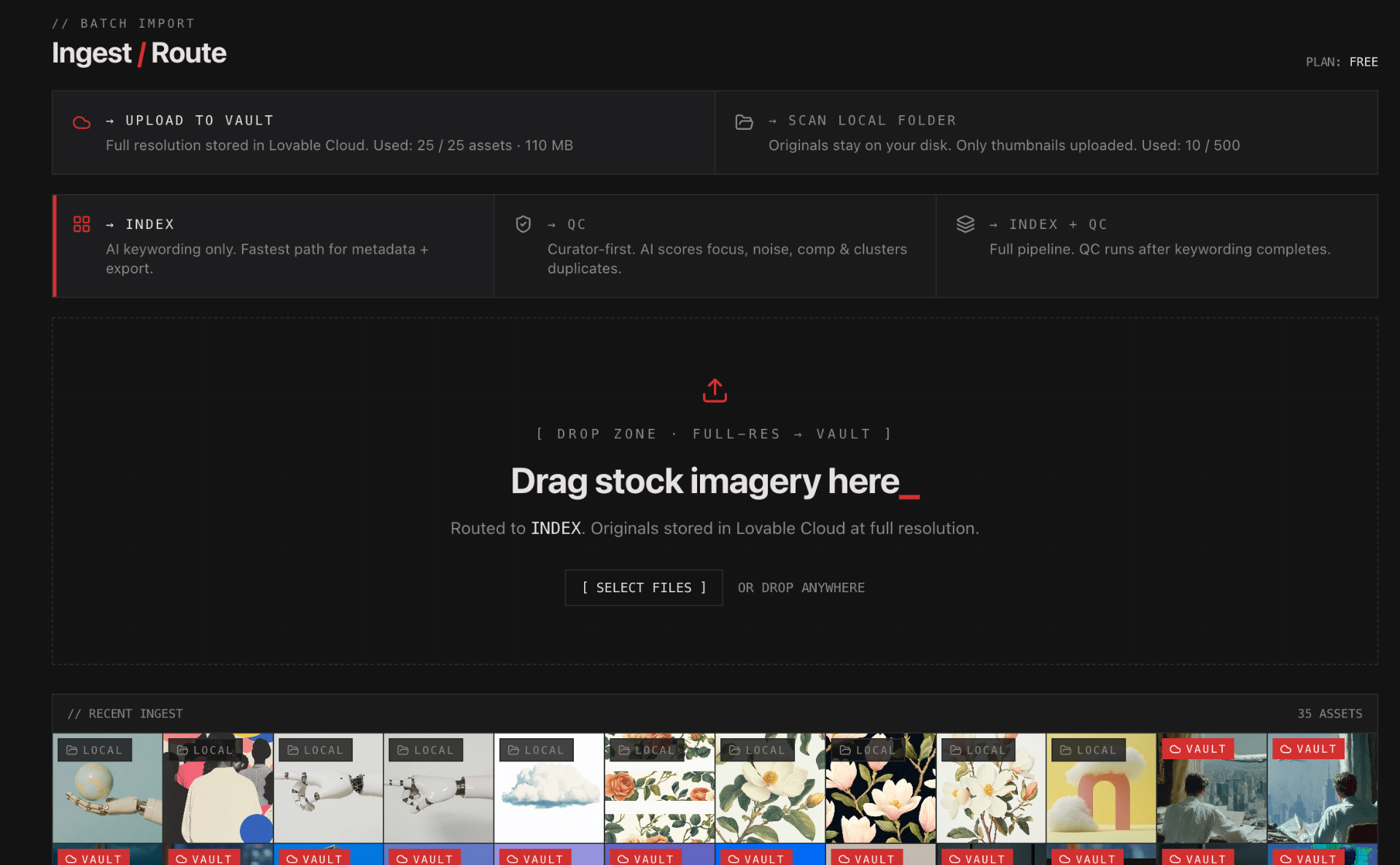
AI keywording only. Fastest path to a clean CSV.
AI curator scores focus, noise, exposure & composition. Catches the rejects before the agency does.
Score, cluster, cull. Keep only your best frames.
Full pipeline. Quality checking and culling run after keywording.
AI stock photo title generator
Context-aware titles written from each image. Phrased to match how buyers search on Adobe Stock and Getty — without writing them by hand.
- Buyer-intent phrasing tuned per agency taxonomy
- Bulk-edit and bulk-apply across batches
- Export to Shutterstock, Adobe Stock, Getty & Alamy CSV
// BEFORE / AFTER

Free AI keyword generator for stock photos
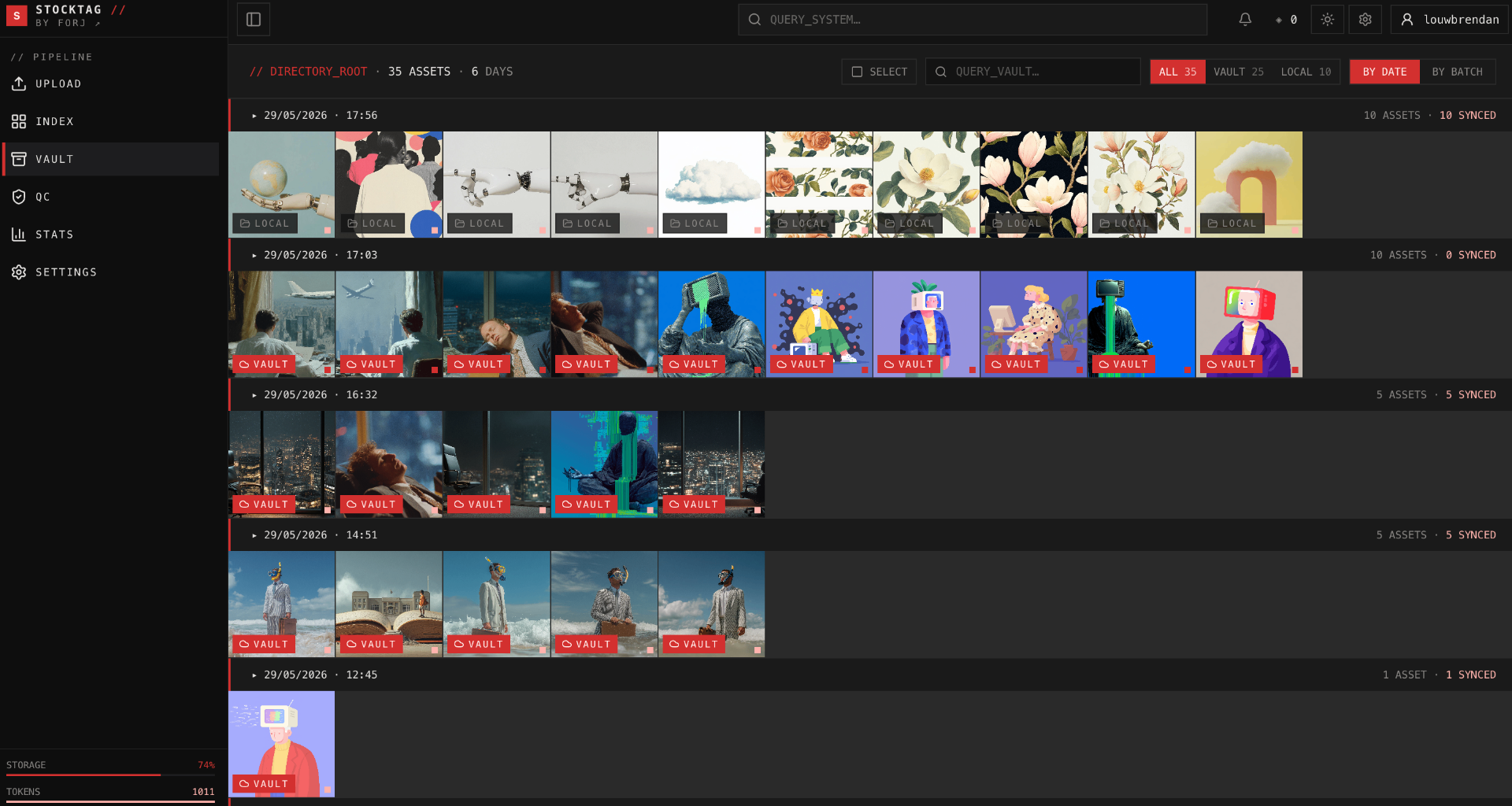
Each image gets 25–50 ranked keywords, exportable as CSV for Shutterstock, Adobe Stock, Getty, and Alamy. Edit and bulk-apply before export.
- 25–50 keywords per image, ranked by relevance
- Vault timeline keeps every batch searchable
- Editable, bulk-applied, CSV-exportable
Catch the rejects before the agency does
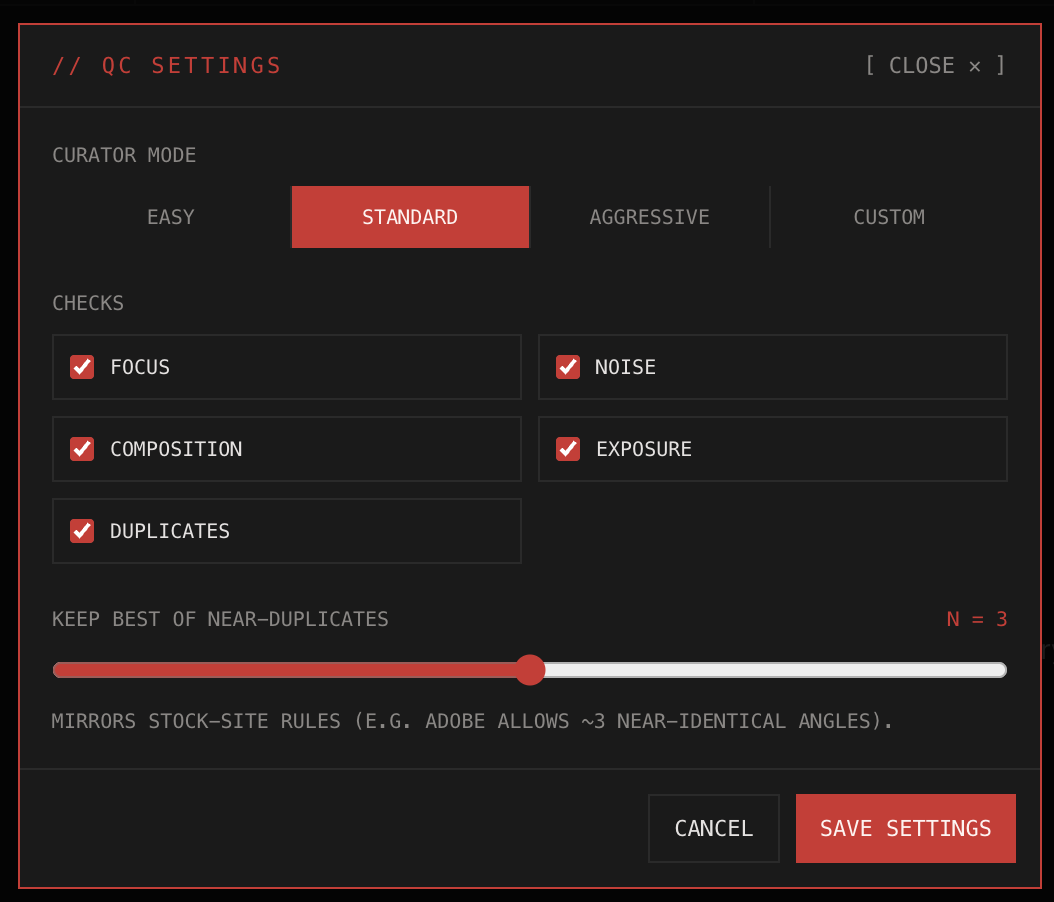
An AI curator scores every frame for focus, noise, exposure, composition, anatomy, text and face integrity — with written reasoning on every fail, so you can disagree and override.
- Focus, noise, composition & exposure scored 0–100
- Every gate switchable — grade the way you shoot
- Reasons on every reject, reversible in one click
Cull any shoot — stock batch, wedding, match day or property set
A 5,000-frame stock batch, a 1,200-frame wedding, a 4,000-frame match day, a 300-frame property set — every frame scored, near-identical bursts grouped, one keeper suggested per cluster. Drag the scale and watch the review grid re-grade.
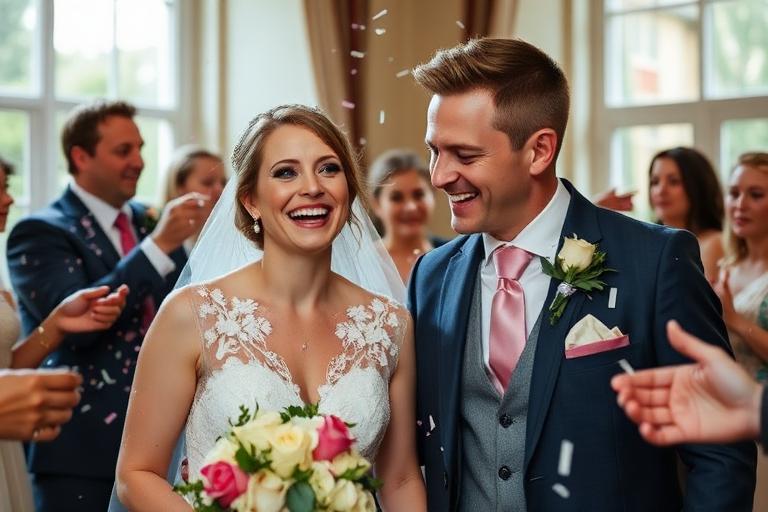






// Sample frames — stars & colour labels export straight to Lightroom, Bridge & Capture One
One pipeline, every kind of high-volume shoot
Titles, 25–50 ranked keywords and agency-shaped CSV for Shutterstock, Adobe Stock, Getty and Alamy — plus QC before you submit.
Blinks, soft frames and near-identical bursts grouped and graded so you deliver from a shortlist, not 3,000 frames.
High frame-rate bursts clustered by hash and capture time, with the peak-action keeper surfaced per sequence.
Brackets and repeat setups clustered, exposure and sharpness scored, keywords written for the catalogue.
One settings-driven grading standard across every shooter, with reversible rejects and reasons attached.
XMP sidecars, embedded JPEG/PNG/TIFF fields and an ExifTool script — read by Lightroom, Bridge, Capture One and more.
Point it at the SD card. Walk away.
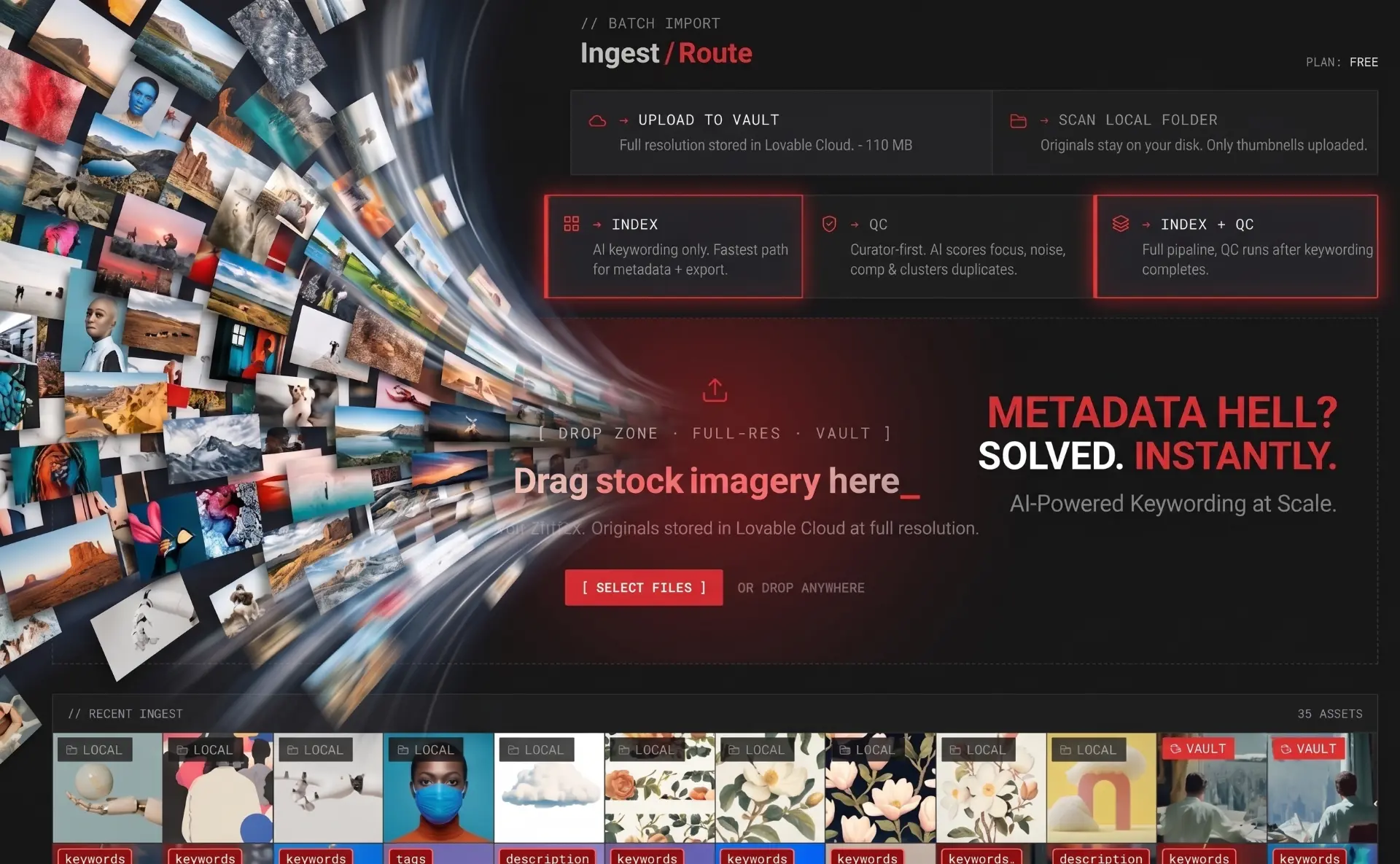
Pick the card or the shoot folder in your browser and the whole thing is scanned — subfolders optional, RAW+JPG pairs matched by filename, huge cards processed in managed chunks you can pause, stop, reconnect and resume.
- Whole card or folder in one go — nothing to install
- Subfolder scanning on or off, your call
- RAW + JPG pairs de-duplicated by filename stem
- Pause, reconnect and continue without losing progress
- Only a 1280px preview is uploaded — originals stay on the card
Your picks and your keywords, written where your editor reads them
Titles, descriptions, keywords, star ratings and colour labels are written into XMP sidecars — and embedded directly for JPEG, PNG and TIFF. Open the folder in Lightroom or Bridge and the shoot is already rated, labelled and tagged. The export zip ships an ExifTool script for macOS, Linux and Windows if you want it burned into the files.
One .xmp per frame — stars, colour label, title, description, keywords.
JPEG, PNG and TIFF get the fields written straight into the file.
Included in the export zip to push metadata into RAW originals.
Stars, colour label, title, description, keywords. Already catalogued? Metadata → Read Metadata from File.
Stars, colour label, title, description, keywords on folder open — no plugin.
Stars, label and keywords once "Prefer Sidecar XMP" is enabled in Preferences → Image → Metadata.
IPTC/XMP title, description, keywords and stars. Its colour classes use their own naming.
Stars, tags and colour label via darktable's own colorlabels field. Load sidecars before editing.
Stars, tags plus colour and pick labels written to digiKam's native fields.
Adobe Stock, Shutterstock, Getty/iStock, Alamy, Dreamstime, Pond5, 123RF, Pixta, Depositphotos, Canva.
Everything between capture and submit
Drop a batch. Route to Index, QC, or both. Files are converted to a 1280px preview on-device — originals never upload.
AI generates titles and keywords per asset. Editable, exportable, agency-ready.
Scores focus, noise, exposure, and composition. Clusters near-duplicates so you keep your best shots.
Searchable archive of processed assets, organized by batch or date.
Per-asset metadata refinement. Bulk-apply across selections.
Throughput funnel — uploaded, scored, kept, exported. Per platform.
vs. Excire, Photo Mechanic, Bridge, IMatch
Titles + keywords generated in one pass, tuned for stock agency taxonomies. Not a bolt-on plugin.
No desktop install, no Lightroom dependency. Open a tab, drop a batch.
Only a 1280px JPEG preview is uploaded for AI analysis. Your full-resolution originals — RAW included — never leave your device.
Pay for what you keyword
1 credit per AI action (keyword or cull). Upload, dedupe, and export are always free. Start free, scale on a monthly plan, top up anytime.
// Secure checkout via Paystack · Cancel anytime
Frequently asked questions
Is Stock Keyworder free?+
Yes. The free tier covers a monthly batch with full AI keywording, AI titles, and CSV export to Shutterstock, Adobe Stock, Getty, and Alamy. Paid plans raise the monthly cap and add the AI Photo Culling module.
Is there a free Shutterstock keyword tool?+
Stock Keyworder works as a free Shutterstock keyword tool on the starter tier — drop a batch and export Shutterstock-formatted CSV. The same export works for Adobe Stock, Getty, and Alamy.
How do I generate keywords for stock photos automatically?+
Drag a batch of images into Stock Keyworder. Each photo gets a title and 25–50 ranked keywords, exportable as CSV for Shutterstock, Adobe Stock, Getty, and Alamy.
What is the best AI keyword tool for Shutterstock and Adobe Stock?+
Stock Keyworder is built for stock contributors. Keywording is paired with photo culling in the same workflow, so submissions are pre-filtered before they reach an agency review.
Can I cull thousands of photos with AI before uploading?+
Yes. The AI photo culling engine scores focus, noise, exposure, and composition, then clusters near-duplicates so you keep the best 3 angles per scene. A 5,000-image shoot is processed in minutes.
Is it only for stock photography?+
Stock Keyworder is built around stock keywording, but the same pipeline culls any high-volume shoot — weddings and events, sports and wildlife, real estate and product, and studio or agency batches. The grading scale, star mapping and colour labels are all yours to set.
Can I import straight from an SD card?+
Yes. Point the browser at the card or the shoot folder and the whole thing is scanned in place — subfolder scanning optional, RAW+JPG pairs matched by filename, large cards processed in managed chunks you can pause, stop, reconnect and resume.
Does it write keywords and ratings into my files for Lightroom or Bridge?+
Yes. Titles, descriptions, keywords, star ratings and colour labels are written into XMP sidecars, and embedded directly for JPEG, PNG and TIFF. Lightroom Classic, Adobe Bridge, Photo Mechanic, darktable and digiKam read them with no plugin (Capture One needs "Prefer Sidecar XMP" switched on), and the export zip includes an ExifTool script for RAW originals.
Does Stock Keyworder work with RAW files?+
Yes — JPEG, PNG, HEIC, TIFF and common RAW (CR2, CR3, NEF, ARW, DNG, RAF, ORF, 3FR). For every file the embedded preview is extracted in the browser and downscaled to a 1280px JPEG; only that preview is uploaded for AI analysis. Originals stay on your device.
Are my photos uploaded to your servers?+
Only a 1280px JPEG preview (~150–300 KB) is uploaded — that's what the AI scores and keywords. Full-resolution originals (and any RAW) stay on your device. The vault stores the preview, the title, keywords and QC scores; originals are never received.
How does pricing compare to Excire, Photo Mechanic, or Bridge?+
Stock Keyworder is credit-based — start free, then R149/month for casual contributors or R599/month for pros. No desktop install, no per-seat license, and keywording + culling are included in every plan.
Stop keywording by hand.
Launch the studio, drop a batch, watch the queue clear.